

Your phone camera makes you look like a pro. Use it.
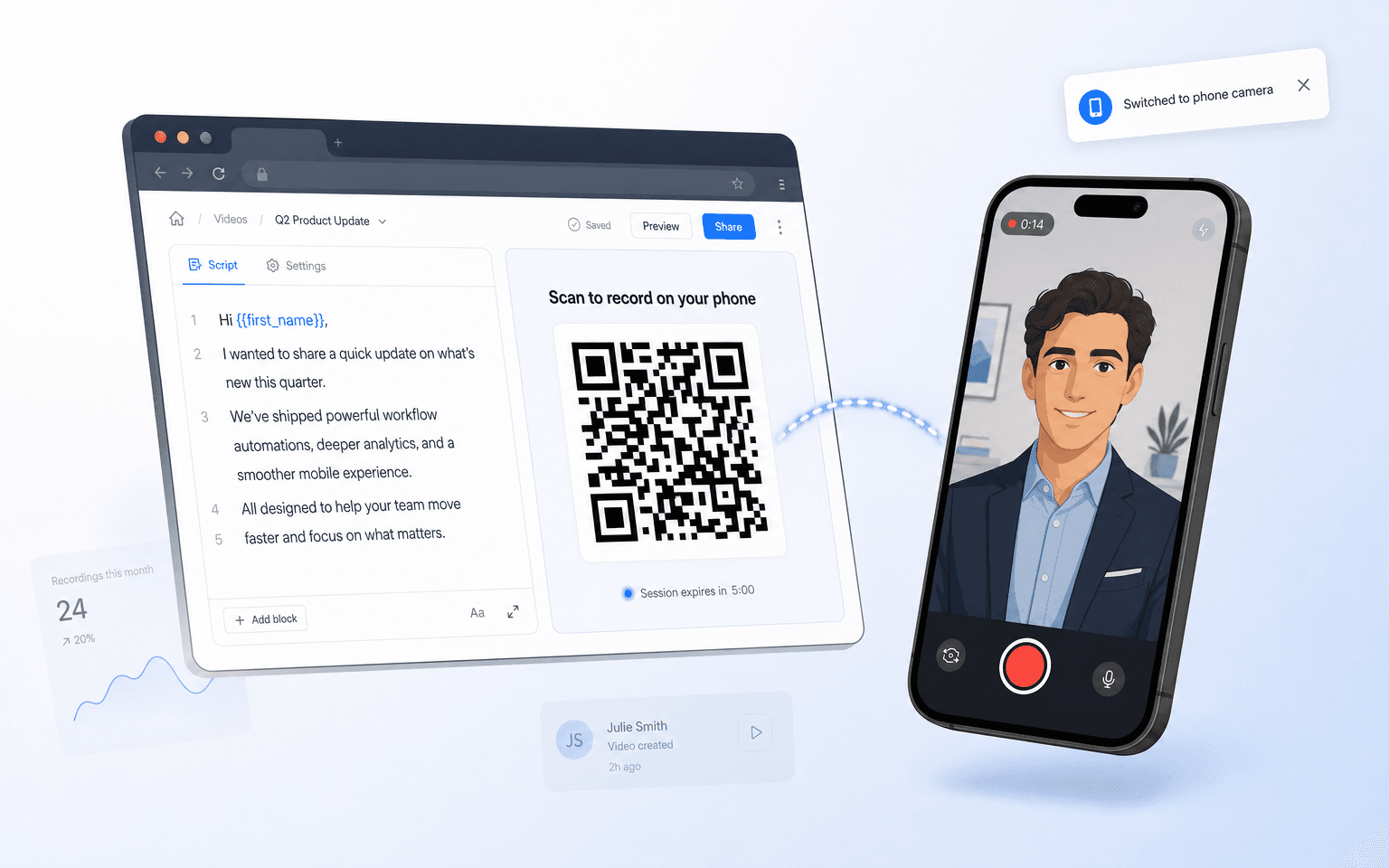
Laptop webcams are grainy, poorly lit, and unflattering. Your phone has a camera that shoots 4K. Vidgram lets you use your phone's rear camera for recording while keeping the teleprompter on your laptop screen.
How it works
Click "Record on Phone" in the extension
A QR code appears in the sidebar. No app to install — it opens a mobile web page.
Scan with your phone
Point your phone camera at the QR code. The recording interface opens instantly in your mobile browser.
Record with your rear camera
Your phone's rear camera captures professional-quality video. The teleprompter scrolls on the laptop screen while you record.
Video syncs back to the extension
When you finish recording, the video appears in the extension automatically — ready to drop into the DM composer.
Who this is for
Stand up, hold your phone at eye level, and you instantly look more professional. No ring light, no external camera, no studio setup needed.
Better video quality means better first impressions. Your team's outreach looks polished without buying any equipment.